The Fastest Kick Drum Workflow in 2026: Text Prompt to DAW in Under 60 Seconds
Step-by-step: how to go from a kick drum description to a finished one-shot in your DAW in under 60 seconds using Just 4 Kicks.
5 min read · Updated Feb 2026 · Written by real, human producers
Speed in music production isn't about shortcuts. It's about removing the friction between having an idea and having a sound. This tutorial walks through exactly how to do that for kick drums using Just 4 Kicks — from opening the plugin to dropping a generated one-shot into your arrangement.
The whole process takes under 60 seconds once you know it. Here's how.
What you need
Just 4 Kicks installed (get it here — €99, one time)
Any DAW that accepts VST3 (Windows/Mac) or AU (Mac): Ableton Live, FL Studio, Logic Pro, Reaper, Cubase, Studio One, etc.
Step 1: Load Just 4 Kicks as an instrument (10 seconds)
Open your DAW and create a new MIDI track or instrument track. Load Just 4 Kicks as the instrument plugin.
In Ableton: Create an Instrument Rack on a MIDI track → drop Just 4 Kicks into the first chain slot.
In FL Studio: Open the Channel Rack → Add → VST instrument → select Just 4 Kicks.
In Logic Pro: Software instrument track → open plugin slot → Audio Units → Just 4 Noise → Just 4 Kicks.
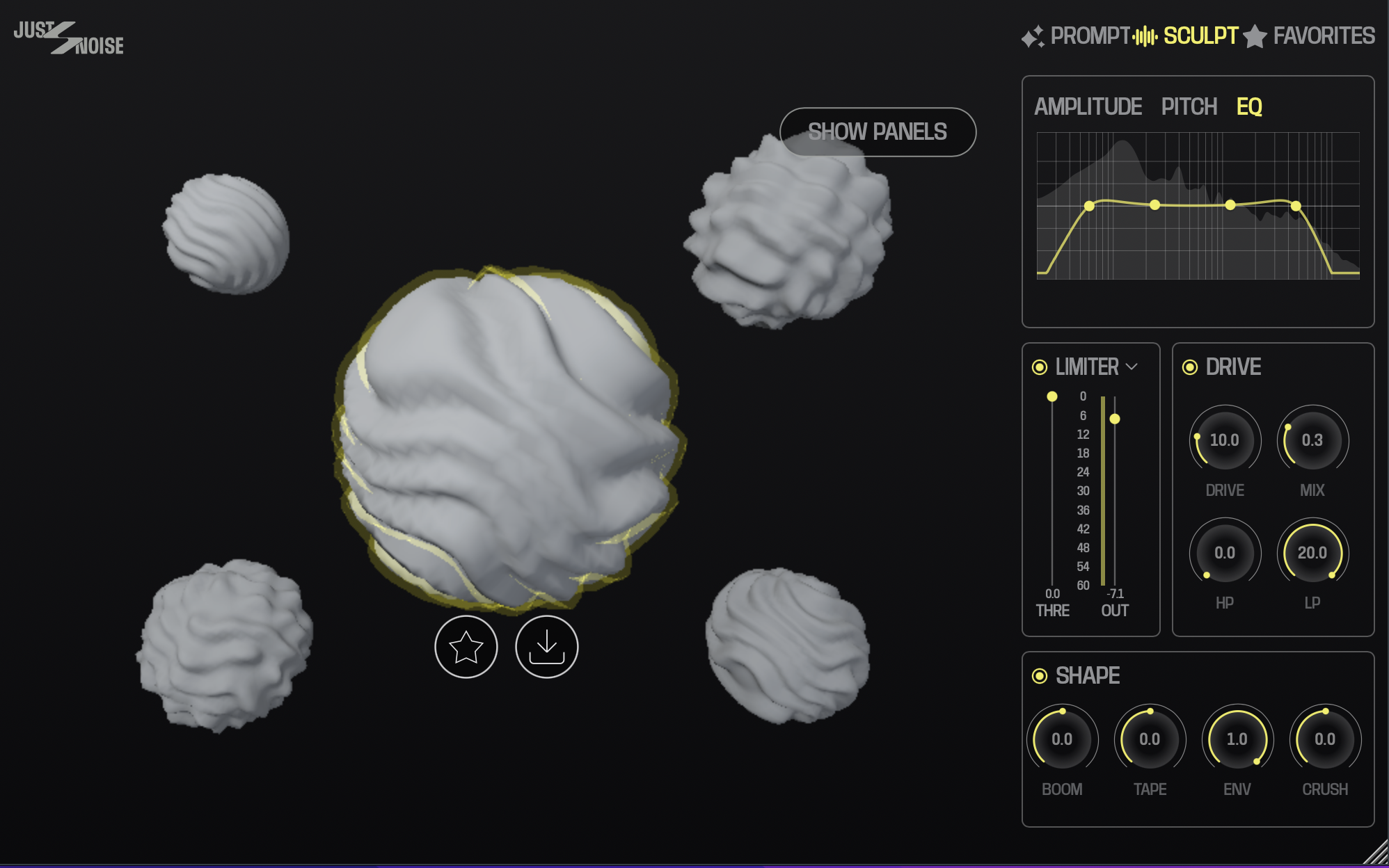
Just 4 Kicks v2, Sculpt Tab
Step 2: Write your prompt (10 seconds)
This is where most producers overthink it — don't. Just describe the kick you hear in your head the way you'd describe it to another producer.
Good prompts are specific about three things:
The low end character — deep, punchy, sub-heavy, tight, round, boomy
The attack — click, soft, snap, thud, hard
The decay — short, long, sustained, tight
Example prompts:
"Deep 808 with heavy sub, soft click attack, long slow decay"
"Punchy house kick, tight low end, hard transient, short tail"
"Warm trap kick, round bottom, no click, medium decay"
"Dry techno kick, mid-forward punch, very short decay, no sub"
Step 3: Generate (3 seconds)
Hit the Generate button. The AI processes your prompt and returns a waveform preview in under 5 seconds.
Listen to the preview. If it's close but not exactly right, you have two options:
Option A — Refine the prompt. Add more specific descriptors: "more sub," "shorter tail," "harder attack." Generate again.
Option B — Use the DSP controls. The plugin's built-in controls handle the fine-tuning: Punch (transient shaping), Sub Body (low-end presence), Decay (tail length), Tone (frequency character), and Pitch (tuning).
Most producers find the right sound within 1–3 generations.
Step 4: Save to library and use (10 seconds)
Hit the Favorite star to save the sound to your personal library. Then either:
Export as WAV: Hit Export and drop the file directly into your DAW's arrangement
Play via MIDI: Trigger the sound via MIDI note C1 directly in the plugin — no export needed
Your kick is in the session. Move on.
Total time: under 60 seconds
Compare that to the average sample search workflow:
Open Splice: 30 seconds
Search "deep kick": browse 200 results: 20+ minutes
Download 8 candidates: 2 minutes
Audition in context: 10 minutes
Settle for something not quite right: 0 seconds (it just happens)
The time savings compound across a session. Across a week of producing, the difference is hours.
Pro tips
Build a library of go-to prompts. Keep a notes doc with your best-performing prompt formulas for different genres. Reuse and tweak them — this is your personal AI drum recipe book.
Generate multiple at once. Use the batch generate feature to create 3–5 variations from slightly different prompts, then pick the best.
Use the pitch control to tune to your track. Kick drums hit harder when they're tuned to the root note or fifth of your song key. Use the pitch control to dial it in.
Layer with generated sounds only. For a completely original kit, generate your snare (Just 4 Snares, coming soon) and hats (Just 4 Hats, coming soon) with the same workflow. Your entire kit is unique, royalty free, and built to your spec.
Get Just 4 Kicks → — €99, one time. Works in Ableton, FL Studio, Logic Pro, and all VST3/AU DAWs.
